Shantou Chenghai Yate Auto Accessories Factory

Leave Your Message

Why Choose a USB Fan for Your Car?

A USB Fan For Car can make hot journeys more comfortable when the vehicle’s built-in airflow feels weak. It offers targeted circulation near the driver, rear seats, or a child’s seating area. A small fan may move air across a warm face, reduce stagnant heat, and improve comfort during slow traffic. It does not produce cold air. That distinction matters.

Choosing the right model requires more than checking its size. Look for a stable base, a guarded blade, adjustable airflow, and a cable long enough for safe placement. The USB plug should match the vehicle’s power source and stated output. Some fans draw more current than older ports can provide. Test the connection before a long trip.

Placement is important. A fan should never block the driver’s view, interfere with controls, or become a loose object during sudden braking. I have found that a quiet motor is more useful than an impressive maximum speed, especially on extended drives. Still, even a well-designed fan may create distracting vibration on a textured dashboard. That weakness is easy to overlook.

A USB Fan For Car works best as a practical comfort device, not a replacement for air conditioning. Open windows, direct sunlight, and high humidity can limit its effect. Regularly check the cable, plug, and mounting surface for wear. With sensible expectations and careful installation, this compact accessory can improve airflow without adding unnecessary complexity. The choice is small, but the details matter.
Why Choose a USB Fan for Your Car?

What a USB Fan for Your Car Is and How It Works

Why Choose a USB Fan for Your Car?

A USB fan for your car is a compact ventilation device powered through a vehicle USB port. It converts electrical energy into airflow through a small direct-current motor. When powered, the motor turns the blades, pushing air across your face, hands, or a fogged side window. According to USB Implementers Forum specifications, a standard USB 2.0 port can supply up to 5 volts and 500 milliamps, or 2.5 watts. USB 3.0 can provide up to 4.5 watts. That explains why these fans usually move air gently rather than producing cabin-level cooling.

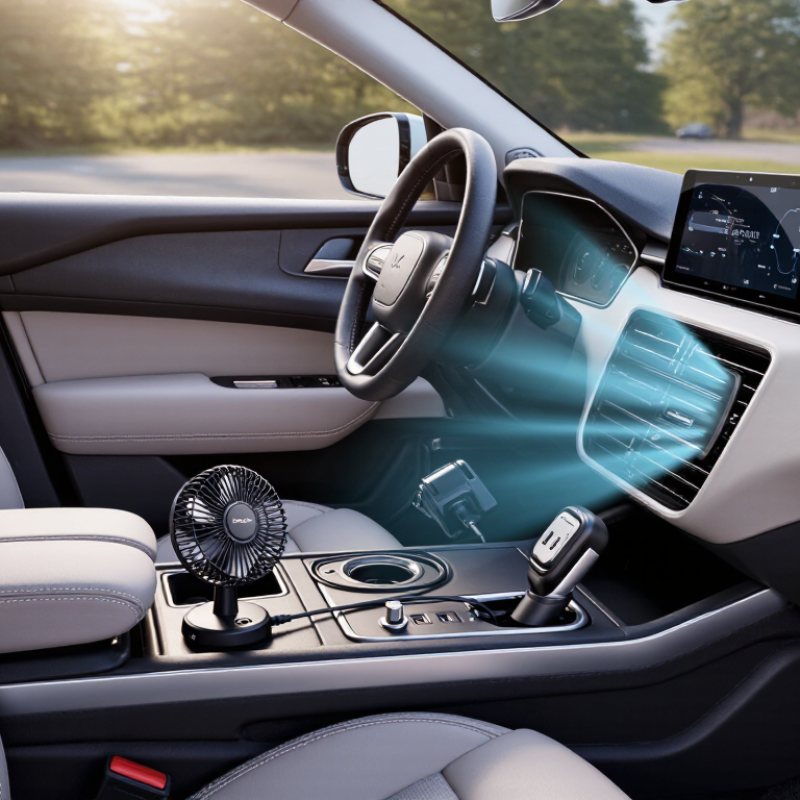
In daily use, I place the fan near the dashboard, where its grille remains clear and its cable does not interfere with driving controls. The airflow feels useful during slow traffic, after parking, or when the air conditioner has not reached the rear seats. It does not lower the entire car’s temperature quickly. That limitation matters.

The National Highway Traffic Safety Administration reports that dozens of children die from vehicle heatstroke in the United States each year. A USB fan cannot make an unattended vehicle safe, and it should never replace proper supervision. I have also found that a fan can seem powerful at close range but disappointing across a wide cabin. Check its voltage, current draw, noise level, mounting stability, and airflow direction before choosing one. Small details matter.


Key Benefits of Using a USB Fan While Driving

Why Choose a USB Fan for Your Car?

A USB fan can make driving more comfortable when the cabin feels warm or still. It uses little power and connects to a common USB port or adapter. Many models are compact enough for a dashboard, cup holder, or rear seat area. The airflow can reduce stuffiness, especially during short trips or while waiting in a parked car. It does not cool the whole cabin like air conditioning. That limitation matters. Still, moving air across your face and hands may make heat feel more manageable.

Tips: Place the fan where it cannot block your view, mirrors, or controls. Secure it before driving, because sudden braking can turn loose equipment into a hazard. Choose a steady airflow rather than maximum speed. Check the cable length and keep it away from pedals and gear controls. Clean the grille regularly, since dust can reduce airflow and create noise. A small detail, but useful.

USB fans are also convenient for passengers who need different airflow levels. A low setting may be quiet enough for conversation, while a stronger setting helps after entering a hot vehicle. Keep realistic expectations. A fan circulates air; it does not lower the cabin temperature by itself. If the vehicle remains hot, open the doors briefly before driving and use the fan alongside proper ventilation. I sometimes find the lowest setting more comfortable, though personal preference changes with humidity and clothing.

Why Choose a USB Fan for Your Car?

Key benefits of using a USB fan while driving

A USB fan can improve air circulation without requiring a dedicated vehicle installation. The comparison uses typical operating values for compact USB fans: 5 V input, low electrical demand, adjustable airflow, and a compact footprint. Lower power consumption helps reduce the load on a vehicle’s electrical system, while airflow circulation can improve perceived comfort for passengers.

Power Options and USB Compatibility in Different Vehicles

Why Choose a USB Fan for Your Car?

A USB fan can improve airflow when the cabin feels warm, especially during short stops or slow traffic. Its main advantage is flexible power. Many cars provide a USB-A or USB-C port near the dashboard, center console, or rear seats. Some ports only charge devices, while others turn off when the engine stops. Check the vehicle manual before relying on one. I once assumed every USB port delivered the same output. That was a mistake. A small fan may run quietly on a low-power port, but a larger model can slow down or stop. Test it while the vehicle is parked.

Power compatibility deserves close attention. USB-A commonly supports basic 5-volt output, while USB-C ports can offer different power levels. A fan should match its cable and required input. A suitable car adapter can use the 12-volt accessory socket, but its output should remain within the fan’s specifications. Avoid loose connections. They can cause intermittent airflow and distracting cable movement. In older vehicles, the accessory socket may stay active after parking, which could drain the battery if the fan remains connected. That risk is easy to overlook. Cable length matters too. A short cable keeps the dashboard tidy, while a longer one may reach a rear passenger without crossing controls. I would still recheck the setup at night, because visibility and noise can change how practical the fan feels.

Why Choose a USB Fan for Your Car? – Power Options and USB Compatibility in Different Vehicles

Vehicle USB or Power Source Typical Electrical Output USB Fan Compatibility Expected Performance Important Considerations
Standard USB-A port Usually 5 V; commonly about 0.5–2.4 A, or approximately 2.5–12 W Compatible with most 5 V USB fans using a USB-A plug Suitable for low- to medium-speed airflow The exact current limit varies by vehicle and port. A fan may run slowly if the port supplies limited current.
USB-C port without high-power charging Typically 5 V; output may be similar to or higher than a basic USB-A port Compatible with a USB-C fan or a suitable USB-C-to-USB-A cable Generally adequate for compact personal fans A USB-C connector does not automatically indicate high wattage. Check the vehicle manual and fan input rating.
USB-C Power Delivery port May negotiate 5 V, 9 V, 12 V, 15 V, or 20 V, depending on the vehicle and connected device Compatible when the fan and cable support the required USB-C charging standard Can provide stable power for higher-output USB fans The fan should accept the negotiated voltage. Do not use a passive cable or adapter that bypasses USB-C power negotiation.
12 V accessory socket with USB adapter Vehicle supply is nominally 12 V; USB adapters commonly convert it to 5 V and may provide multiple amps Compatible with USB-A or USB-C fans when the adapter output matches the fan requirements Often provides more available power than an older built-in USB port Use a certified adapter with over-current and over-voltage protection. Keep the socket clear of loose metal objects.
12 V accessory socket with a direct 12 V fan Nominally 12 V; actual voltage changes with the vehicle’s electrical system Not a USB connection; suitable only for fans specifically rated for vehicle 12 V operation May support stronger airflow than a small 5 V fan Do not connect a 5 V USB fan directly to a 12 V socket. A voltage-converting USB adapter is required.
Rear-seat USB port Usually 5 V, with current limits determined by the vehicle’s power module Works with a low-power fan if the connector and output rating match Convenient for passengers and localized airflow Some rear ports may be charging-only and may turn off when the vehicle is switched off.
Older vehicle with no factory USB port Usually provides a 12 V accessory socket; USB output requires an adapter Compatible after adding a suitable USB power adapter Performance depends mainly on the adapter’s 5 V output rating Confirm that the socket is powered with the ignition on and that the adapter is firmly seated while driving.
Hybrid or electric vehicle USB port Commonly regulated 5 V USB output; some vehicles also provide higher-power USB-C charging Compatible when the fan’s input voltage and connector match the port Usually suitable for quiet, low-energy ventilation Power behavior may differ when the vehicle is parked, locked, or in accessory mode. Follow the vehicle’s operating instructions.
Selection checklist: Confirm the fan’s required voltage, current, connector type, and wattage before connecting it. A 5 V USB fan must be powered through a regulated 5 V USB output or a properly rated adapter; it should never be connected directly to a vehicle’s 12 V accessory socket.

Safety, Placement, and Noise Considerations

A USB fan can improve airflow in a parked or slowly moving car. Its real value depends on safe placement, stable power, and tolerable noise. NHTSA’s Traffic Safety Facts 2023 recorded 3,275 deaths in distraction-affected crashes. That figure does not prove a fan causes distraction, but it supports keeping controls away from the driver’s hands and sightline. Placement matters.

Do not attach the fan to an airbag cover, steering wheel, or windshield. Keep it below the dashboard’s airbag deployment areas and secure its cable along the console. I once placed a small fan too close to my right hand. It worked well, but the cord became an unnecessary distraction. A loose cable can catch on a gear selector or interfere with emergency movement. Inspect the USB plug regularly, and stop using it if the cable or adapter becomes hot.

Noise also changes driving comfort. NIOSH uses 85 dBA over eight hours as an occupational exposure limit, but that is not a comfortable cabin target. WHO’s 2018 Environmental Noise Guidelines recommend road-traffic exposure below 53 dB Lden, though this measure describes outdoor environmental noise, not a car interior. Use a phone sound meter as a rough comparison, not laboratory evidence. Test the fan at the driver’s ear, with the windows closed and the engine running. My judgment is imperfect. A quiet fan may still create an irritating high-pitched tone.

How to Choose the Right USB Fan for Your Car

Choosing the right USB fan for your car starts with airflow, not appearance. A compact fan should move air across the seat without blocking your view or touching the steering wheel. Check the fan’s power rating and match it with your car’s USB port. Some ports provide limited output, causing weak airflow or repeated shutdowns. A model with two or three speed settings gives better control during slow traffic and hot parking conditions.

Mounting matters more than many buyers expect. I once used a fan with a loose clip, and every sharp turn made it vibrate against the dashboard. Look for a firm clip, rubber padding, and an adjustable neck. Test the fan before driving. It should stay stable when the car moves over a rough road. Noise is also important. A loud motor may become tiring during a long trip, even when the airflow feels strong. Short blades can be quieter, but they may cool a smaller area.

Measure the cable length before installation. A cable that barely reaches the port can pull the fan from its mount. Keep wires away from pedals, gear controls, and airbag areas. Never leave the fan running unattended for long periods, especially with the engine off, because it can drain the vehicle battery. A simple temperature check helps too. If the plug or cable becomes unusually warm, disconnect it and inspect the power connection. This small step is easy to forget.