Shantou Chenghai Yate Auto Accessories Factory

Leave Your Message

China Top 10 USB Fans for Cars in 2026?

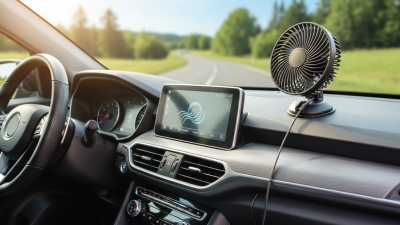
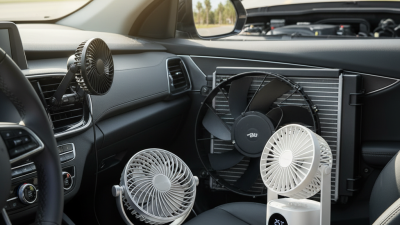
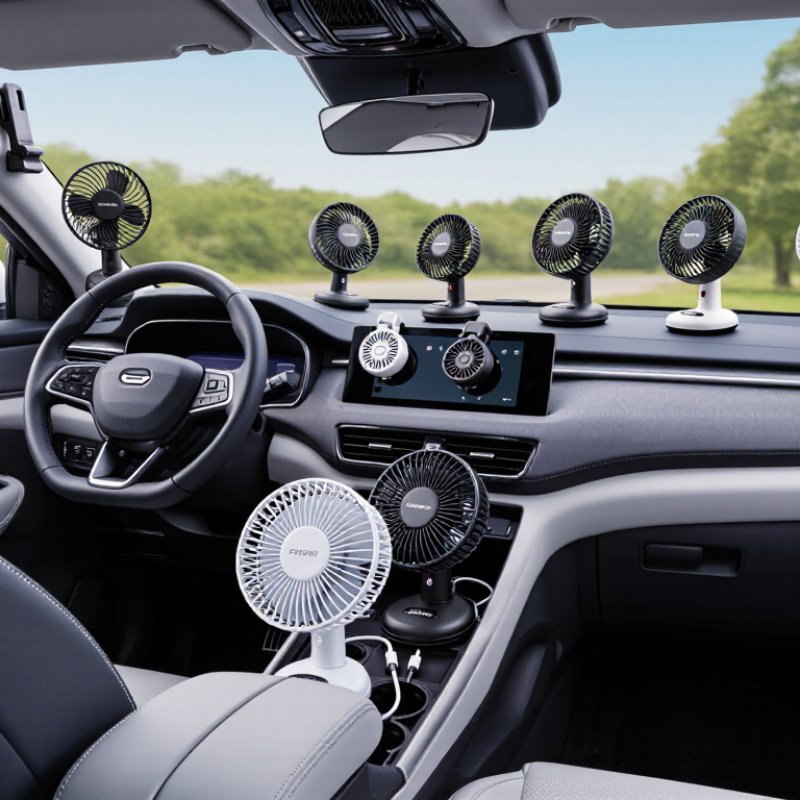
Choosing a Usb Fan For Car in 2026 means looking beyond a product photo and a bold airflow claim. This guide introduces ten options for drivers, passengers, and parked-car use, with attention to practical details: USB power needs, fan size, mounting style, noise, and adjustability. Small details matter. A fan that clips neatly to a headrest may suit rear passengers, while a compact dashboard model may take up less room. Check that the cable can reach the power source without crossing controls or getting in the way.

The products in this roundup should be compared using their listed specifications and intended use, not one impressive number alone. Airflow ratings can be measured differently, and a small fan will not cool an entire hot cabin like an air-conditioning system. That distinction is easy to overlook. Consider whether the fan has a stable base or secure clip, multiple speed settings, and a guard that helps keep fingers away from moving blades. Read current product details before buying, since ports, accessories, and availability can change.

No single model will fit every vehicle. Cabin layout, passenger needs, and tolerance for fan noise all affect the choice. A quiet setting may feel more useful on a long drive, while a flexible neck can help direct air toward a child’s seat or the back row. Still, advertised performance does not always match real-world comfort. Use this list as a starting point, then check dimensions, cable length, and power compatibility for your car.
China Top 10 USB Fans for Cars in 2026?

What USB Car Fans Are and How They Work

A USB car fan uses electricity from a vehicle’s USB port or a suitable USB adapter. In many compact models, a small electric motor spins the blades, pulling air in and pushing it toward passengers. Simple, but useful. Some fans offer multiple speed settings, while others use a single switch or adjustable control.

The fan moves cabin air; it does not lower the air’s temperature like an air conditioner. Its effect depends on placement, airflow, and the cabin’s heat. Aim it toward a passenger rather than the windshield, and secure its base so it cannot slide during a turn. Check the fan’s power label and the port’s output before connecting it. Small details matter.

A fan may help circulate cool air from the vehicle’s vents or reduce the feeling of still, warm air. It cannot make a hot parked car comfortable on its own. That expectation is easy to get wrong. Keep blades and cords clear of the driver’s controls and sightlines, and avoid placing the fan where it could distract someone. A little airflow helps; it is not a cooling system.
Key Features to Compare in China’s 2026 USB Car Fans

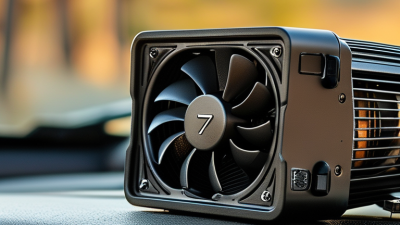
When comparing China’s 2026 USB car fans, start with airflow and direction, not appearance. Check whether the head tilts far enough to reach the driver or rear seat without blocking the dashboard. A compact fan may suit a small cabin, while a larger head can move more air but crowd the console. Small details matter.

Look closely at the clip or base. A padded clamp should hold firmly on a vent or other suitable surface without leaving marks, and its hinge should resist vibration on rough roads. Check the USB connector, cable length, and stated power requirements against the car’s available ports. A fan that needs a particular output may run weakly from an older port. I would not judge performance by airflow figures alone.

Noise is easy to overlook in a product listing. If possible, compare sound at low and high settings, especially when the fan sits close to the driver. Also inspect the grille spacing, button placement, and ease of cleaning; dust gathers quickly around vents. A rotating head can spread air across the cabin, but it may add bulk or movement. There is no perfect setup: prioritize secure mounting and usable airflow, then decide which compromises matter in your car.

Top 10 USB Fans for Cars in China in 2026

China’s 2024 vehicle sales reached 31.436 million, according to the China Association of Automobile Manufacturers’ annual report. That large vehicle base makes compact cabin accessories relevant, but a popular-looking fan is not automatically a useful one. This Top 10 USB Fans for Cars in China in 2026 guide should weigh airflow, noise, mounting stability, cable length, and ease of cleaning. Check whether the clamp grips a vent securely; a loose fan can wobble over rough roads. Small detail. It matters.

NHTSA’s vehicle-heat guidance reports that cabin temperatures can rise by about 20°F within ten minutes on a hot day. A USB fan moves air; it does not cool a parked car like air conditioning or make a hot cabin safe. For practical comparisons, prioritize adjustable airflow and guards that keep fingers away from moving blades. Also check the fan’s rated voltage and current against the car’s USB port, since port output varies. A ten-item ranking can help narrow choices, yet test conditions and cabin layouts differ. I would not treat one quietness claim as decisive without comparable measurements.

How to Choose a USB Car Fan for Your Vehicle

Choosing a USB car fan starts with the cabin, not the product photo. Measure the space near the dashboard, headrest, or rear seat before checking the clamp or base. A wide clip may not fit a narrow surface, and a loose mount can wobble on rough roads. Small details matter. Check that airflow reaches the passenger who needs it instead of blowing toward a window. A swivel head helps redirect air, but a stiff joint can be awkward to adjust.

Match the fan’s power needs to your vehicle. Many USB fans use a standard USB connection, but check the stated voltage and current against your vehicle’s port or adapter. A low-speed setting may be quieter during conversation, while higher speeds can add motor noise. Listen for vibration, too. A longer cable offers more placement options, though extra wire should stay clear of pedals, steering controls, and seat rails.

Check the blade guard and how easily the fan can be cleaned, especially if dust collects around the dashboard. Removable parts can make wiping easier, but they should fit back securely. Keep the fan away from airbag deployment zones and the driver’s sightline. That placement is easy to overlook. A test while parked can reveal rattling, though it cannot predict every road vibration. Remember that a small fan moves air; it does not cool a parked cabin like air conditioning.

Installation, Power Use, and Safety Considerations

A USB fan is only useful when its mount stays firm through bumps and turns. Before installing one, check that the clamp fits the vent or dashboard without blocking the driver’s view, controls, or airbag zones. Keep the cable clear of pedals and steering parts. A tidy setup matters. In a parked car, test the mount by gently tugging it; a fan that shifts can become a distraction.

Check the fan’s rated voltage and current against the vehicle port or adapter. USB-IF specifications set standard USB 2.0 downstream ports at up to 500 mA and USB 3.0 ports at up to 900 mA at 5 V—about 2.5 W and 4.5 W respectively. These are standard-port figures, not a guarantee for every car outlet; charging ports may differ. Compare the fan label with the port rating, and stop if the connector or cable becomes hot. Small loads still deserve attention.

For context, the U.S. Department of Energy’s fuel-economy guidance notes that air conditioning can reduce fuel economy, particularly in hot weather. A USB fan uses electrical power, so it is not “free cooling,” and it cannot replace climate control in dangerous heat. I have seen people aim fans at their faces and overlook loose cables. That is easy to miss. Recheck the mount after cleaning or adjusting the vent, because a secure fit can loosen over time.

China Top 10 USB Fans for Cars in 2026? - Installation, Power Use, and Safety Considerations

The comparison below lists common USB car-fan configurations rather than named products or a verified sales ranking. Figures are indicative ranges for typical 5 V USB fans; check the individual fan’s label and instructions before use.

No. Fan configuration Typical installation Typical power at 5 V Approx. USB current Best suited for Installation and safety considerations
1 Compact clip-on fan Clips to a sturdy, non-moving edge or accessory mount 1–2 W 0.2–0.4 A Personal airflow for one occupant Check that the clip cannot slip or damage trim; keep it clear of airbags and the driver’s view.
2 Single-head dashboard fan Secured to a flat dashboard area using its supplied base 2–4 W 0.4–0.8 A Directing airflow toward the front seats Use a stable mounting surface and route the cable away from pedals, steering controls, and hot surfaces.
3 Dual-head fan Dashboard or console mount, as specified by the fan instructions 4–8 W 0.8–1.6 A Airflow for two front-seat occupants Confirm the USB source can supply the fan’s rated current; do not let either head block visibility.
4 Flexible-neck fan Fixed base on a secure console or approved accessory mount 2–5 W 0.4–1.0 A Adjustable airflow direction Position the neck so it cannot swing into the driver or controls during sudden braking.
5 Long-neck rear-seat fan Secure mount reachable from the rear seating area 3–6 W 0.6–1.2 A Rear-passenger airflow Keep the fan and cable away from child restraints, seat-belt paths, and moving seat mechanisms.
6 Headrest-mounted fan Attached to a compatible headrest post or approved strap mount 4–8 W 0.8–1.6 A Airflow toward rear passengers Ensure the mount does not interfere with headrest adjustment or create a hard contact point near a passenger’s head.
7 Suction-cup window fan Smooth glass surface outside the driver’s sightlines 2–5 W 0.4–1.0 A Temporary use where a suitable flat mount is available Clean and dry the mounting surface; check adhesion regularly, especially after temperature changes.
8 Magnetic-base fan Compatible metal plate or manufacturer-approved mounting surface 2–4 W 0.4–0.8 A Quick repositioning between suitable mounting points A magnet will not attach securely to every dashboard; verify the mount stays put while the vehicle is moving.
9 Low-profile vent-area fan Purpose-made clip or mount near an air vent 1–3 W 0.2–0.6 A Compact installation with limited dashboard space Do not force a clip onto fragile vent fins or obstruct an airbag outlet.
10 High-airflow USB fan Firmly secured dashboard, console, or rear-seat mount 5–10 W 1.0–2.0 A Stronger localized airflow where a higher-current USB source is available Check the rated input and USB-port limit; stop using it if the plug, cable, or adapter becomes unusually hot.
Power and safety note: Approximate current is calculated as power divided by 5 V (I = P ÷ V). Actual input varies by fan speed and design. Use a USB port or adapter rated for at least the fan’s stated current, secure the fan and cable, and keep all equipment clear of airbags, pedals, seat belts, and the driver’s field of view. A USB fan circulates air; it does not replace the vehicle’s air-conditioning system.