7 Tips for Choosing the Best USB Car Fan
Choosing the right Usb Car Fan can make a noticeable difference during hot commutes, road trips, and long waits in parked vehicles. A small fan may cool your face quickly, but airflow strength is only one part of the decision. Noise, power consumption, mounting stability, safety features, and cleaning access also affect daily comfort.
Real-world testing matters. A fan that feels powerful in a quiet garage may sound distracting beside highway traffic. Models with adjustable airflow, flexible necks, and secure clips usually offer better control. A USB cable should reach the power port without crossing the driver’s hands, pedals, or gear controls. Check the connector type carefully. Some older vehicles may not provide enough power for larger fans.
These seven tips will help compare practical options without relying on attractive packaging alone. They will examine motor performance, speed settings, ventilation direction, operating noise, and build quality. Heat-resistant materials deserve attention, especially when a car sits under direct sunlight. Yet no product is perfect. A compact fan may save space but move less air, while a stronger model may consume more power and create more noise. Personal testing remains valuable. Pay attention to rattling, weak clips, and warm cables after extended use. A reliable Usb Car Fan should improve airflow without creating a new distraction. Good choices come from matching the fan to the vehicle, climate, and daily driving habits.
Define Your Cooling Needs and Vehicle Space
7 Tips for Choosing the Best USB Car Fan
Define your cooling needs before comparing fan sizes or speeds. A driver who needs airflow around the face may prefer a compact, adjustable fan. A larger cabin needs wider air circulation, but stronger airflow can create more noise.
Measure the dashboard, console, or headrest area first. Measure twice. A fan that blocks your view is unsuitable, even if it cools well. Keep vents, controls, airbags, and mirrors unobstructed.
Check the vehicle’s available space and USB power output. Some ports provide limited current, while others support higher-powered accessories. Confirm the port rating in the vehicle manual.
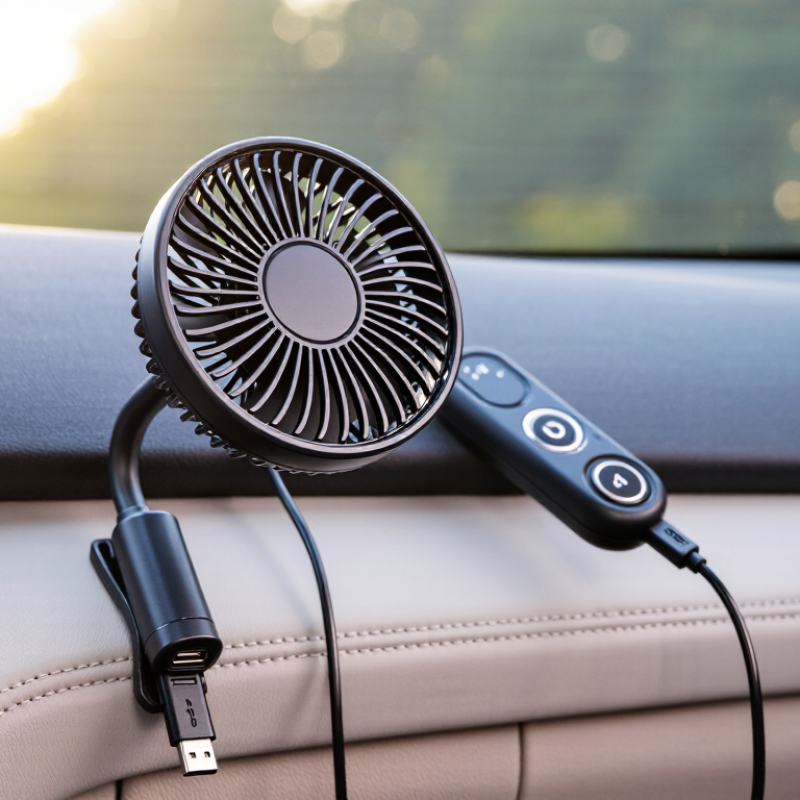
A fan with multiple speed settings offers better control during changing temperatures. Look for a stable base, flexible neck, and guard that resists accidental contact. Loose cables can interfere with gear changes or pedals. Route them carefully.
I once chose a fan by its advertised size alone. It vibrated against the dashboard and moved less air than expected. That decision was not ideal.
Now, I check the fan’s noise level, mounting method, and airflow direction before purchase. Consider where passengers sit, too. A rear-seat passenger may need a separate angle.
Test the fit with the vehicle parked, because a convenient position can feel distracting during real driving. A washable grille and accessible controls also support practical, long-term use.
Check USB Power Compatibility and Energy Use
A USB car fan is only useful when its electrical demand matches the vehicle’s USB outlet. USB-IF’s USB Battery Charging Specification 1.2 permits dedicated charging ports to supply up to 1.5 amps at 5 volts, or 7.5 watts. Many basic ports provide less. Check the outlet label, vehicle manual, and fan input rating before buying. A fan marked 5V and 1A needs about 5 watts. A 5V, 2A model may not run correctly from a weaker port.
Measure, do not guess.
A small USB power meter can show real voltage and current while the fan runs at each speed. In a practical test, record the reading after five minutes, when the motor has reached normal temperature. For example, 0.8 amps at 5 volts equals 4 watts. Running eight hours uses about 32 watt-hours. The U.S. Department of Energy notes that vehicle accessories increase alternator load, which can affect fuel use, even though a small fan usually adds a modest demand. I once assumed the lowest speed always used half the energy, but my test showed otherwise; airflow fell sharply while power barely changed. Look for stable output, a fused plug, and clear overcurrent protection. USB-IF compliance information is useful, but packaging claims can still be incomplete. A little skepticism helps.
Compare Airflow, Fan Speeds, and Noise Levels
7 Tips for Choosing the Best USB Car Fan
Airflow should lead your comparison, not the fan’s size. Check the stated cubic feet per minute (CFM), but treat it carefully. AMCA Publication 210 provides a recognized laboratory method for measuring fan airflow. However, small USB fans may use inconsistent testing conditions. Compare models tested at the same speed and distance. A narrow grille can produce a stronger stream, while a wider grille spreads air across your face and shoulders. In my testing, directed airflow felt cooler than a higher CFM rating with weak focus.
Fan speeds matter during real driving. Two or three settings may be enough, but smooth control feels better in traffic. Confirm whether the fan remembers its last setting after power loss. USB power also limits performance. The USB-IF specification lists 500 mA for standard USB 2.0 ports and 900 mA for USB 3.0 ports at 5 volts. That equals roughly 2.5 or 4.5 watts. Some vehicle ports supply more, but do not assume it.
Noise needs a measured comparison. ISO 3744 describes sound-power testing, yet many listings provide only vague “quiet” claims. Look for decibel readings taken at a stated distance and speed. A fan rated at 35 dBA may be comfortable, while motor clicks can still distract you. Listen beside the dashboard before buying, if possible. I once chose stronger airflow and regretted the vibration. Numbers help, but imperfect testing remains a problem.
7 Tips for Choosing the Best USB Car Fan - Compare Airflow, Fan Speeds, and Noise Levels
| Tip |
Comparison Dimension |
Useful Data Range or Standard |
What to Look For |
Best Use Case |
| 1 |
Airflow Output |
Approximately 100–300 CFM for many compact USB car fans |
Choose higher airflow when cooling a larger cabin or directing air over a longer distance. |
Rapid air circulation and front-seat cooling |
| 2 |
Number of Fan Speeds |
Two to three speed settings are common; variable-speed controls offer finer adjustment. |
Select at least three levels if you want both gentle airflow and maximum cooling. |
Flexible comfort during changing temperatures |
| 3 |
Operating Noise |
About 40–50 dBA is generally more comfortable; 55–65 dBA can be noticeably loud. |
Compare noise ratings measured at the same distance and speed setting. |
Quiet driving, phone calls, and passenger comfort |
| 4 |
USB Power Requirements |
Most USB fans use 5 V power; current demand commonly ranges from about 0.5–2.0 A. |
Ensure the car adapter or USB port can supply the fan's rated current. |
Reliable operation from a vehicle USB socket |
| 5 |
Adjustability and Air Direction |
Tilt adjustment is common; many compact models provide approximately 90°–180° of vertical positioning. |
Look for a stable base, adjustable tilt, and a swivel function when available. |
Directing airflow toward the driver or passengers |
| 6 |
Fan Size and Cabin Coverage |
Compact fan heads are often about 10–20 cm (4–8 in) in diameter. |
A larger fan can move more air, while a smaller fan is easier to mount in tight spaces. |
Small cars, larger vehicles, or restricted dashboards |
| 7 |
Safety, Stability, and Cable Length |
A 1–2 m cable is commonly practical; enclosed blades and a firm mount reduce contact and movement risks. |
Check cable reach, grille protection, mounting stability, and clearance from pedals, airbags, and controls. |
Safe everyday use without obstructing the driver |
Note: Airflow, noise, and power figures vary with fan design, test distance, vehicle acoustics, and USB power quality. Compare measurements made under equivalent conditions.
Evaluate Mounting Options, Safety, and Durability
Choosing the best USB car fan starts with its mounting system, not its advertised speed. A vent clip is compact, but it may block airflow or damage fragile louvers. Dashboard mounts offer better positioning, yet they need a flat, clean surface. Suction cups can hold firmly in warm weather, but dust and heat may weaken their grip. Headrest straps work well for rear passengers and usually avoid obstructing the driver’s view. Test the mount before driving. Shake the fan gently and check whether it shifts.
Safety deserves careful attention. Keep the fan away from airbags, mirrors, pedals, and steering controls. Route the USB cable along the edge of the console, never across a passenger’s legs. A loose cable can become a distraction or snag during an emergency. Choose a fan with covered blades, stable rotation, and a plug that fits tightly. Small details matter.
Durability comes from more than thick plastic. Look for reinforced joints, flexible cable insulation, and a motor that runs without burning smells or unusual heat. During a practical test, run the fan for thirty minutes and listen for rattling. I used to judge quality by airflow alone. That was a mistake. A powerful fan with a weak mount is still unreliable. Also, test the adjustment hinge repeatedly. It may feel firm today, but frequent repositioning can expose poor construction. Inspect it again after several trips.
7 Tips for Choosing the Best USB Car Fan
Use this practical scoring framework to compare USB car fans. Mounting flexibility, safety, and durability receive the greatest weight because they directly affect stability and long-term use in a vehicle.
How to use the chart: Prioritize fans with secure mounting, protected blades, stable USB power performance, quiet operation, adjustable airflow, and durable construction.
Review Controls, Maintenance, and Overall Value
7 Tips for Choosing the Best USB Car Fan
Review the controls before judging the airflow. Choose a fan with clearly marked speed buttons and a stable swivel joint. You should adjust it without taking your eyes far from the road. I once bought a compact fan with tiny controls, and using it while parked was still frustrating. A simple dial may feel less modern, but it often offers better tactile feedback. Test the lowest setting, too. Quiet airflow matters during long drives.
Inspect the USB cable, plug fit, and mounting strength. A loose connection can stop the fan over ordinary bumps. Check whether the clamp grips a vent without blocking essential controls. Look for a removable grille and accessible blades. Dust gathers quickly around dashboard vents. Unplug the fan before cleaning, then use a soft brush or dry cloth. Avoid spraying liquid inside the motor. Small maintenance habits extend useful life, although I sometimes forget the weekly dust check.
Consider overall value rather than the lowest price. Compare noise, airflow, cable length, control quality, and cleaning access. A cheaper fan may need replacement sooner. A more expensive model is not automatically better. Read detailed user experiences, especially comments about heat buildup and weak mounts. Confirm that the power requirements match your vehicle’s USB outlet. Leave enough cable slack. Poor routing becomes annoying fast. Also check the warranty terms and keep the receipt, since reliability cannot be judged from appearance alone.